
How to Convert PDF to High-Quality JPG (300 DPI)
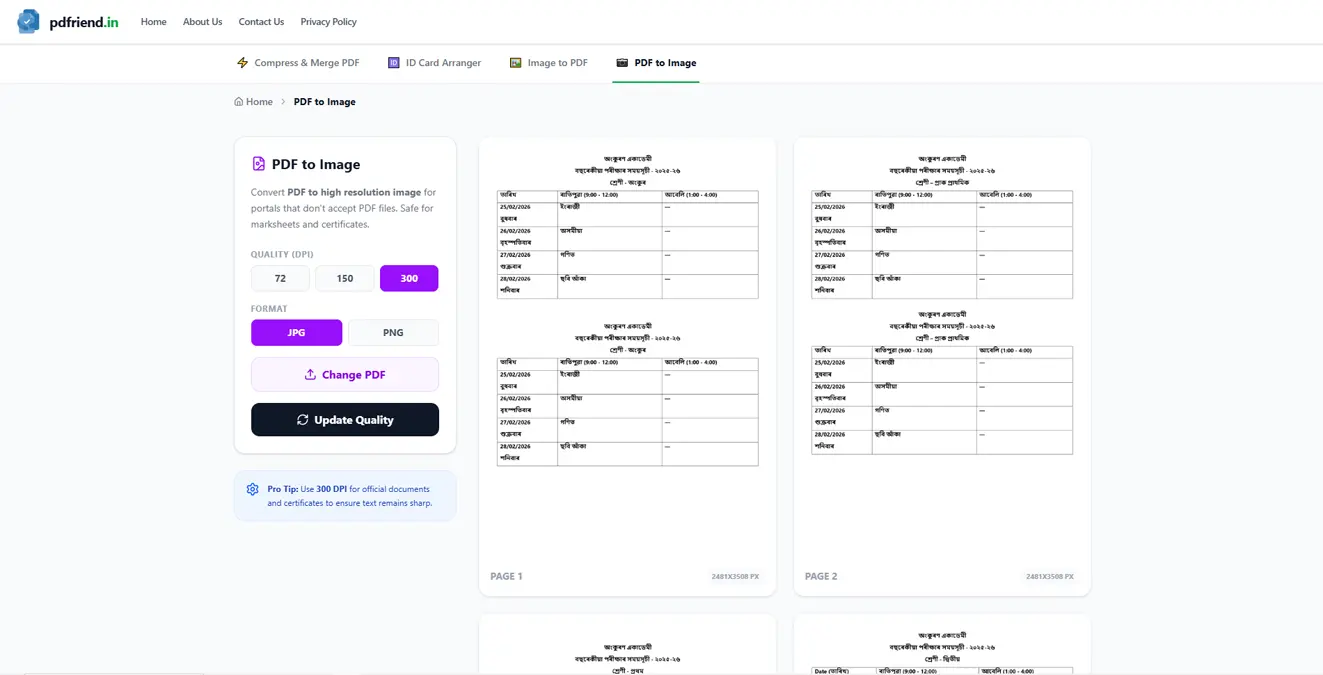
Extract images from your PDF or convert entire pages to high-resolution JPG/PNG formats. Perfect for portals that don't accept PDF files.
Sometimes, technology moves backward. You have a perfectly good digital PDF, but the online portal (whether it's for a visa, exam, or social media) says:"Upload format must be JPG or PNG."
So you take a screenshot of your PDF. The result? A blurry, pixelated mess where the text is barely readable. Taking a screenshot limits the quality to your screen resolution (usually 72 or 96 DPI).
There is a better way. Our PDF to Image Converter renders the PDF digitally at print quality (300 DPI) before saving it as an image.
Comparison: See the difference in text clarity when rendering at 300 DPI vs standard quality.
Why DPI Matters
DPI stands for Dots Per Inch.
- 72 DPI: Screen quality. Good for Twitter/Instagram previews. Blurry if printed.
- 150 DPI: Good compromise. Clear text, decent file size.
- 300 DPI: Print quality. Essential for certificates, mark sheets, and legal documents.
Step-by-Step Guide
1. Upload PDF
Drag your file into the tool. It instantly loads because it's not uploading to a server—it's opening directly in your browser memory.
2. Select Quality and Format
Before you convert, look at the sidebar settings:
- Format: Choose JPG for photos/scans (smaller size) or PNG for digital text/graphs (crisper edges).
- Quality: Select 300 DPI if this is for an official application. Select 72 DPI if it's just a thumbnail.
3. View or Download
You will see a grid of every page in your PDF converted to an image.
- Click the Eye icon to view the full-resolution image in a new tab.
- Click the Download icon to save that specific page to your device.
Privacy Note
Many "PDF to JPG" sites keep a copy of your file on their server. If you are converting a bank statement or tax document, this is a security risk.
pdfriend.in is different. The conversion happens on your CPU using WebAssembly. You could literally turn off your Wi-Fi after the page loads, and the tool would still work perfectly. Your data remains yours.
Get crisp, clear images from your documents. Convert PDF to Image Now.
High-Quality PDF to Image
Convert your PDF pages to sharp, professional-grade images. Adjust DPI and quality settings to get the perfect result.
Convert PDF NowMore from the web
About the author

Education
B.Sc. (Computer Science)
Experience
8+ Years Technical
The Mission Behind pdfriend.in
"As a B.Sc. (Computer Science) graduate, I have spent the last 8 years deeply attached to blogging, SEO, coding, and the evolving internet landscape. Throughout this journey, I have made mistakes, learned, and gathered the experiences that define my technical mission today. The recent surge in document forgery and identity fraud is what led me to build pdfriend.in. While I've engineered this app to be 'Zero-Server', I always remind my users that true safety also requires protecting your own device from untrusted software and local malware."
Commitment to Safety: Every tool on this platform is personally audited and built to operate 100% offline. No cloud, no risk, no compromises.